bandit0
16-07-2026 13:26
this is the first level of bandit, if you are an absolute beginner i would highly recommend read the introduction page “note for beginners” thoroughly before solving this level.
it is essential that you at least read the introduction to user commands section, as it lays the bare fundamentals needed for solving these levels.
the structure of the bandit levels is great for learning, since it teaches you how to actually research and find results on your own!
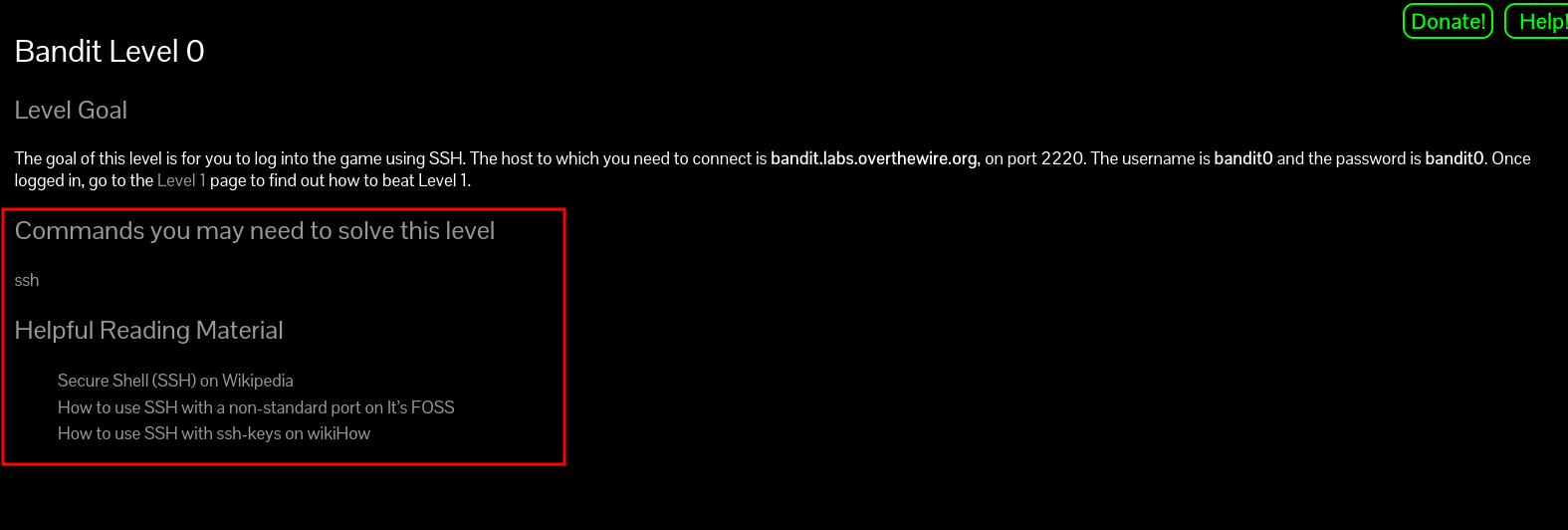
each level page describes your goal needed to be reaches in order to solve the level, and gives you helpful commands and reading materials for you to research yourself.
here, the description sets the goal:
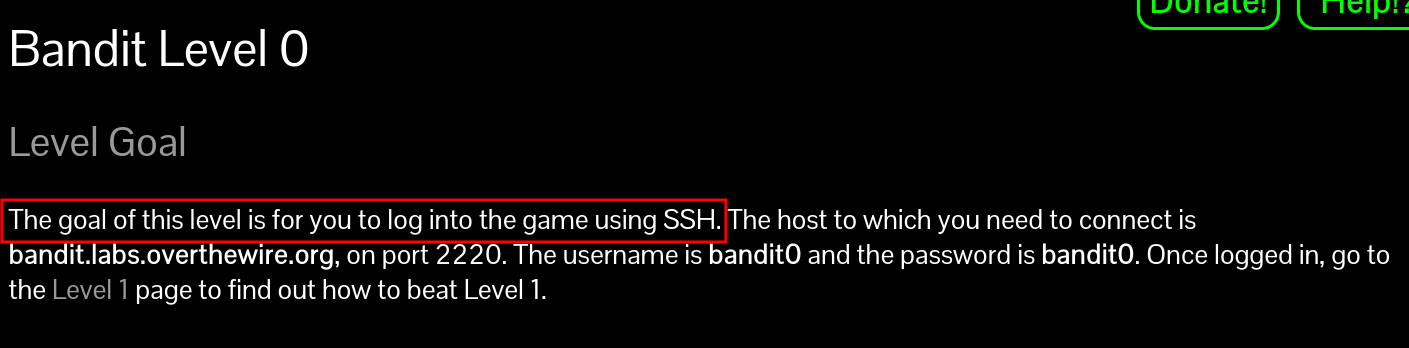
the SSH (Secure Shell) protocol allows for secure remote (or local) login across an unsecured network. its one of the most common network protocols, so it is essential for beginners to research it thoroughly and i highly recommend doing so.
most computers come with SSH already installed, but if you are using linux this might not be the case depending on the distribution. connection with ssh usually is done using this format:
$ ssh <username>@<hostname> -p <portnumber>
the level goal provides us with a username, host name and a port number, which are exactly what we need to connect to the server using ssh.
# username   -> bandit0
# hostname   -> bandit.labs.overthewire.org
# portnumber -> 2220
$ ssh bandit0@bandit.labs.overthewire.org -p 2220
➜  ~ ssh bandit0@bandit.labs.overthewire.org -p 2220
                         _                     _ _ _
                        | |__   __ _ _ __   __| (_) |_
                        | '_ \ / _` | '_ \ / _` | | __|
                        | |_) | (_| | | | | (_| | | |_
                        |_.__/ \__,_|_| |_|\__,_|_|\__|


                      This is an OverTheWire game server.
            More information on http://www.overthewire.org/wargames

backend: gibson-0
bandit0@bandit.labs.overthewire.org's password:
now we are prompted for the levels password, which we know from the level goal is bandit0:
➜  ~ ssh bandit0@bandit.labs.overthewire.org -p 2220
                         _                     _ _ _
                        | |__   __ _ _ __   __| (_) |_
                        | '_ \ / _` | '_ \ / _` | | __|
                        | |_) | (_| | | | | (_| | | |_
                        |_.__/ \__,_|_| |_|\__,_|_|\__|


                      This is an OverTheWire game server.
            More information on http://www.overthewire.org/wargames

backend: gibson-0
bandit0@bandit.labs.overthewire.org's password: bandit0

      ,----..            ,----,          .---.
     /   /   \         ,/   .`|         /. ./|
    /   .     :      ,`   .'  :     .--'.  ' ;
   .   /   ;.  \   ;    ;     /    /__./ \ : |
  .   ;   /  ` ; .'___,/    ,' .--'.  '   \' .
  ;   |  ; \ ; | |    :     | /___/ \ |    ' '
  |   :  | ; | ' ;    |.';  ; ;   \  \;      :
  .   |  ' ' ' : `----'  |  |  \   ;  `      |
  '   ;  \; /  |     '   :  ;   .   \    .\  ;
   \   \  ',  /      |   |  '    \   \   ' \ |
    ;   :    /       '   :  |     :   '  |--"
     \   \ .'        ;   |.'       \   \ ;
  www. `---` ver     '---' he       '---" ire.org


Welcome to OverTheWire!

If you find any problems, please report them to the #wargames channel on
discord or IRC.

bandit0@bandit:~$
now that we are connected, the level goal tells us to go into the level 1 page:
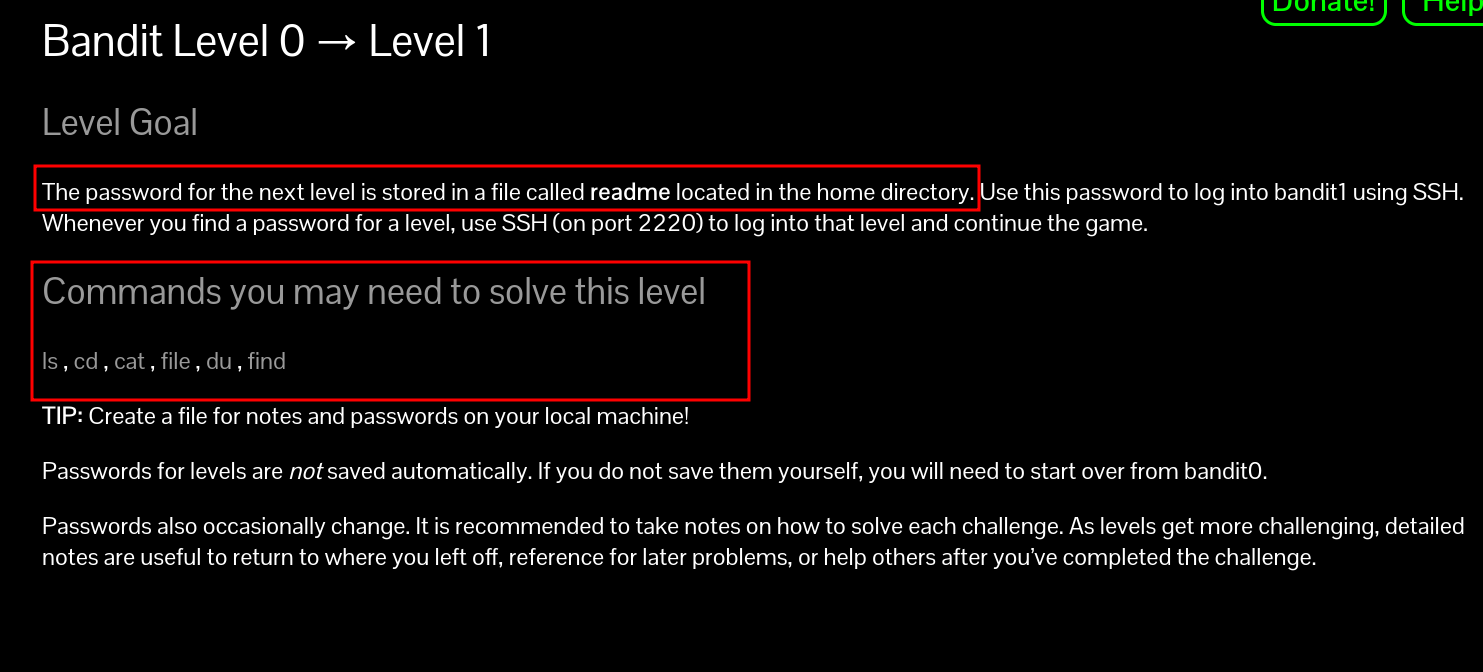
so now we know, the password for the next level is stored in a file called readme in our home directory.
in the commands you may need to solve this level we get a few hints as to how to actually find and read the readme file.
if you have read the introduction page of bandit, you may be already familiar with the man (manual) command. this is the most important command you will learn, as it allows you to read the manual pages for most commands you will use. these manual pages almost always contain the answer for levels in bandit, so learn how to use them!
its important to note: if you are a windows user you cant use man in the cmd, since its a unix command. you will need to first connect using ssh to the level and then you will be able to use it. (or u know, just download a linux VM)
the first few commands we need to solve this level are ls and cat. lets take a look at the ls man pages:
$ man ls
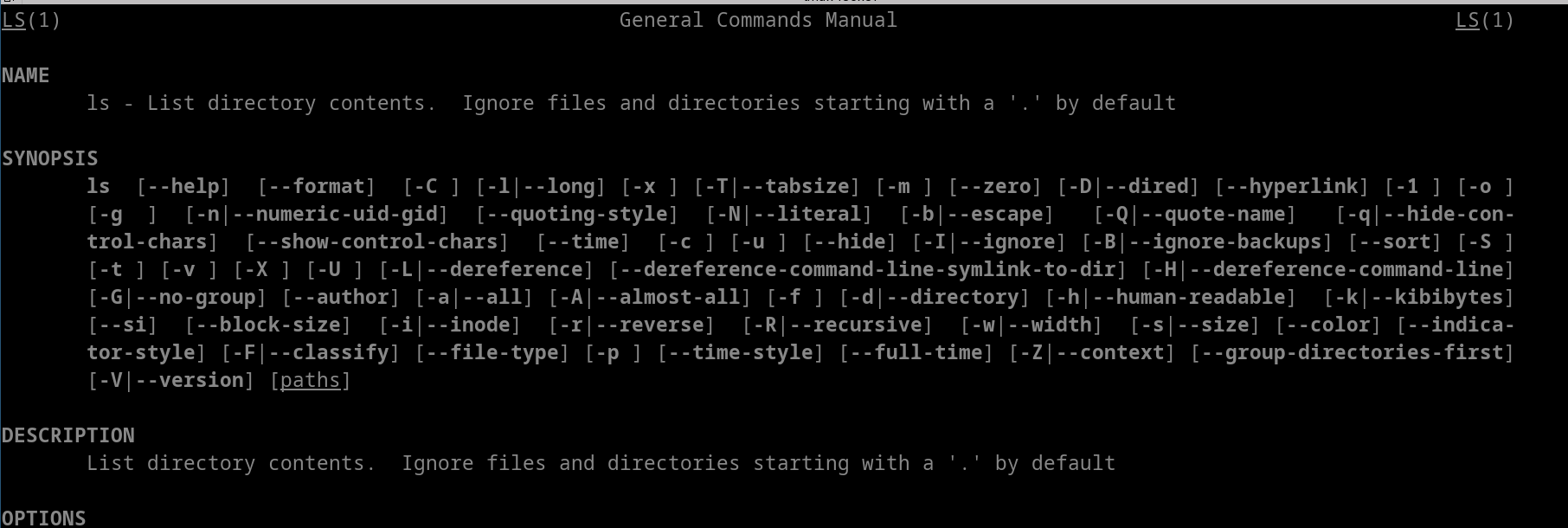 so we can use the
 ls command to list directory content.
we will do the same for the cat command:
% man cat
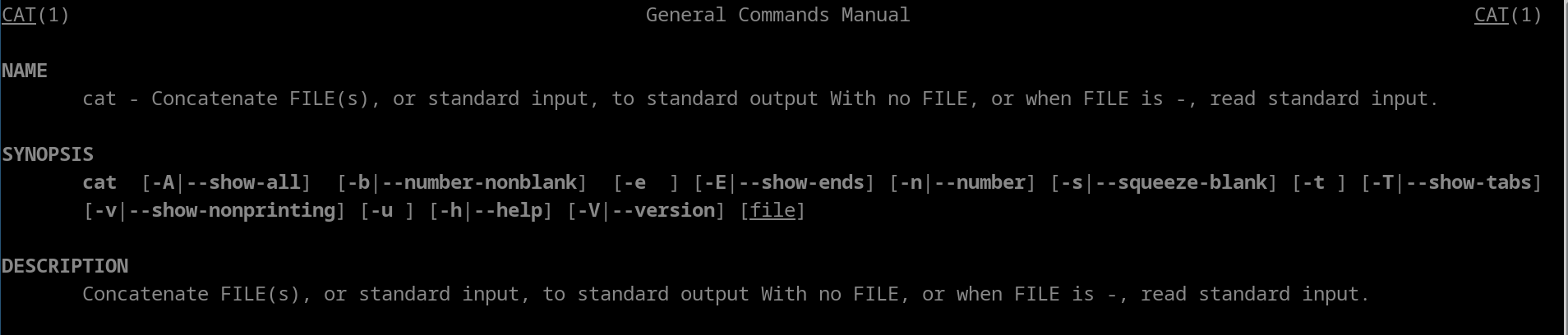
this definition can be a little confusing if you arent familiar with the cat command…
cat stands for conCATenate, and it was originally used to concatenate multiple files. as it so happens, its also really useful for just reading files.
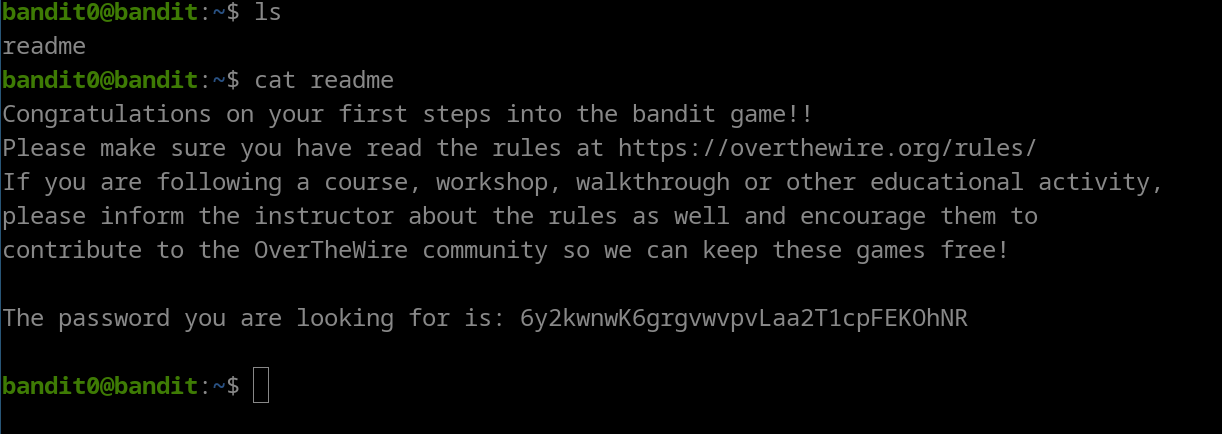
first, we use ls to read the directories content, and we get back a file readme. we then use cat to read that file, and we got the flag for this level!
flag: 6y2kwnwK6grgvwvpvLaa2T1cpFEKOhNR